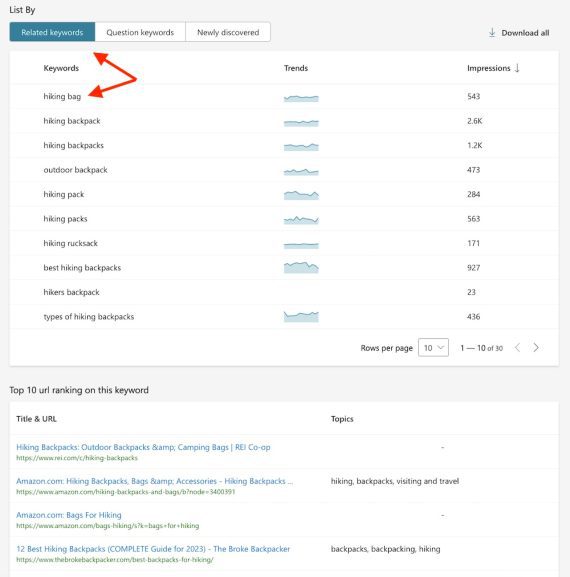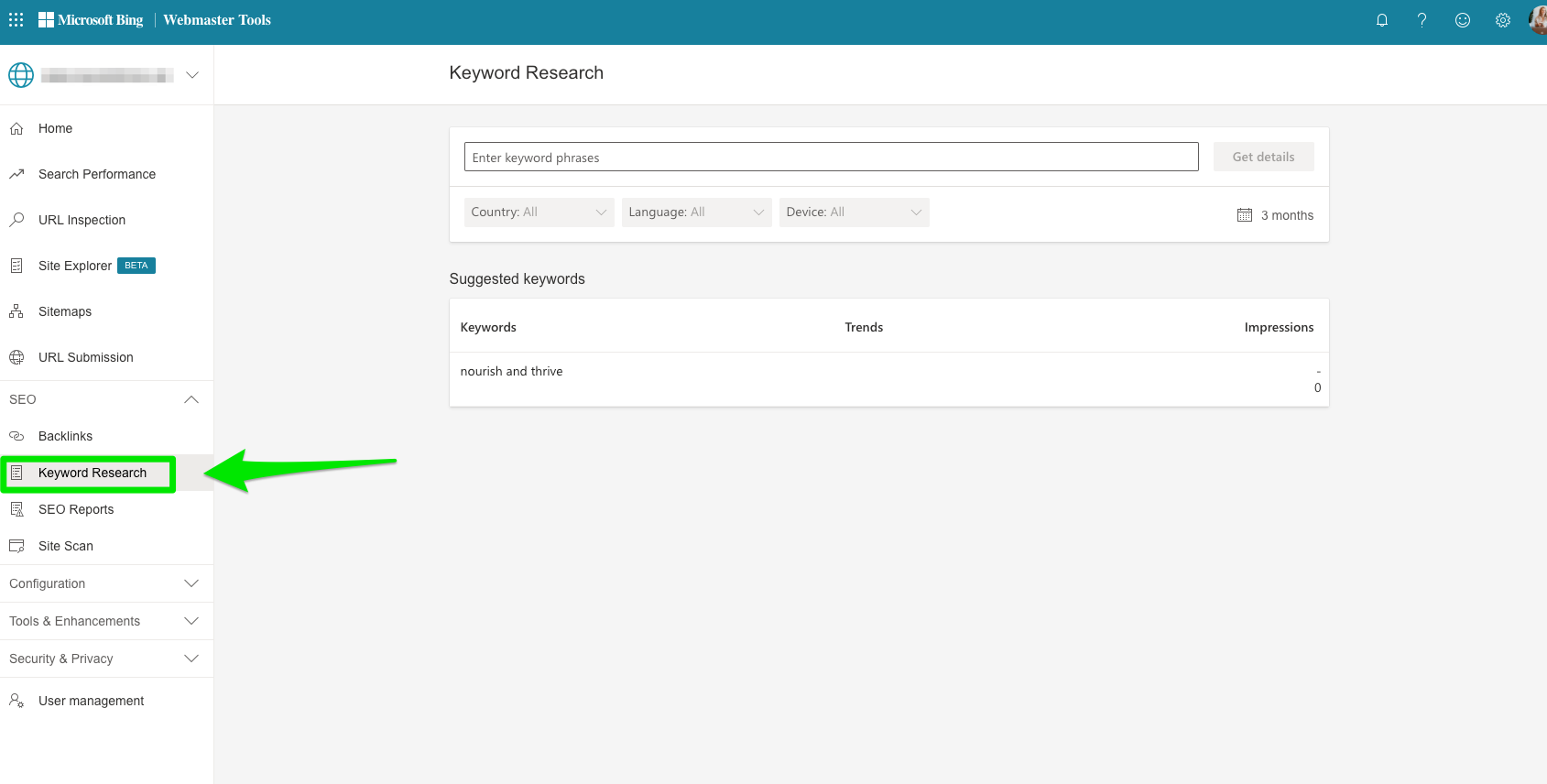
To use Bing Webmaster Tools for keyword research and search query insights, start by signing into your Bing Webmaster Tools account and verifying your website. Then navigate to the Keyword Research section in the dashboard. Here, you can enter a seed keyword to generate related keyword ideas along with important metrics such as search volume (impressions), competition, and cost-per-click (CPC). This data helps identify trending keywords, long-tail variations, and user search intent specific to Bing’s search engine.
Key steps include:
- Access Keyword Research: After logging in, find the Keyword Research tool in the dashboard.
- Enter Seed Keywords: Input your main keywords or paste a URL to pull keywords related to that page.
- Analyze Metrics: Review search volume (impressions), competition, and CPC to prioritize keywords.
- Explore Related Keywords and Long-tail Variations: Bing suggests related terms and long-tail keywords that can capture more specific user intent.
- Filter and Export Data: Use filters for region, language, and timeframe to refine results, then export keyword lists for deeper analysis or campaign planning.
Additional insights:
- Search Query Insights: Bing Webmaster Tools provides real-time trending keywords and query data, helping you spot emerging opportunities and seasonal trends.
- Performance Tracking: Use the Search Performance report to monitor impressions, clicks, and average position for your keywords over up to 16 months, enabling you to track keyword effectiveness and optimize accordingly.
- Competitor Keyword Research: You can analyze competitor keywords by comparing backlink profiles and keyword rankings within Bing Webmaster Tools, gaining insights into their SEO strategies.
- Leverage AI Assistance: Bing Webmaster Tools includes a Copilot AI assistant to help troubleshoot issues and surface keyword insights more efficiently.
By regularly using Bing Webmaster Tools’ keyword research and query data features, you can refine your SEO and paid search strategies to better align with Bing users’ search behavior and improve your site’s visibility on Bing.