Disabling File Editing in WordPress Dashboard to Prevent Insider Threats
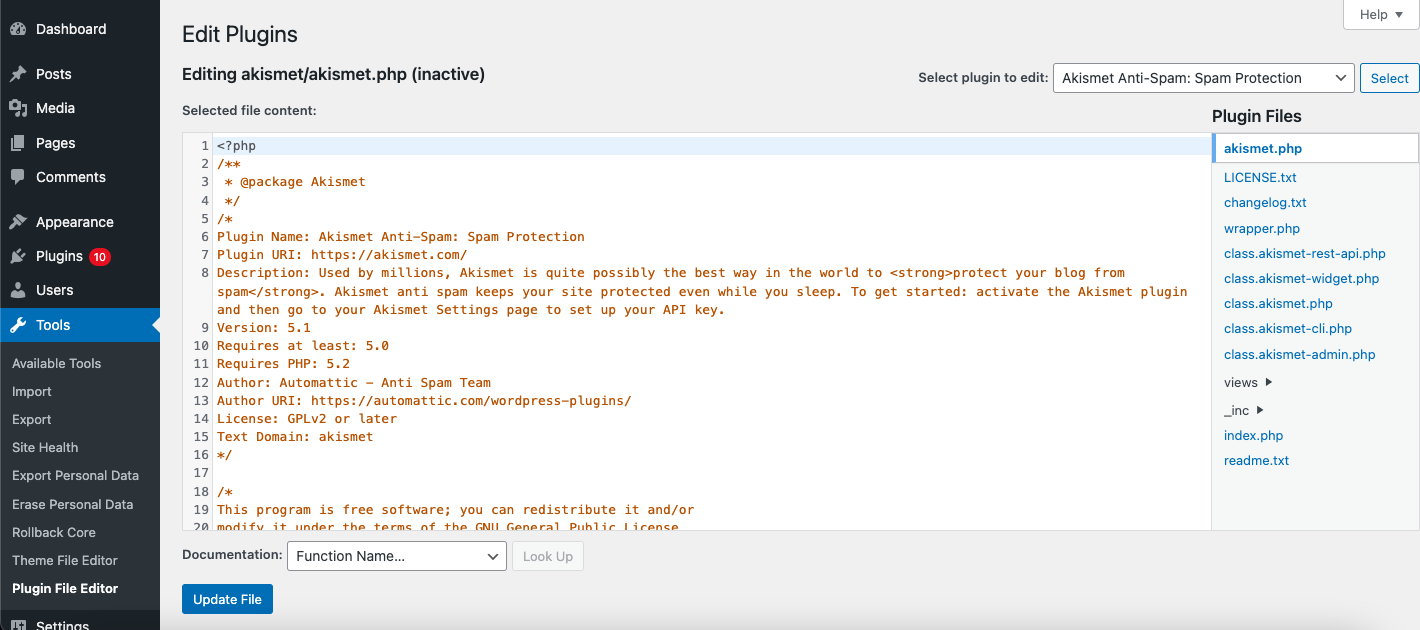
Disabling file editing in the WordPress dashboard is a crucial step in enhancing security and preventing insider threats. This feature allows users to edit theme and plugin files directly from the WordPress admin panel, which can be risky if not managed properly.
Why Disable File Editing?
- Security Risks: Allowing file editing in the admin panel can expose your site to security risks. If a hacker gains access to your dashboard, they can modify files to inject malicious code.
- Accidental Changes: Even authorized users might accidentally modify files, leading to site crashes or security vulnerabilities.
- Control and Oversight: Disabling file editing ensures that only authorized personnel can make changes, typically through safer methods like SFTP.
Methods to Disable File Editing
1. Using the wp-config.php File
To disable file editing, you can modify the wp-config.php file by adding the following line:
define('DISALLOW_FILE_EDIT', true);
This line should be added above the comment /* That's all, stop editing Happy blogging. */ in the file.
2. Using a Security Plugin
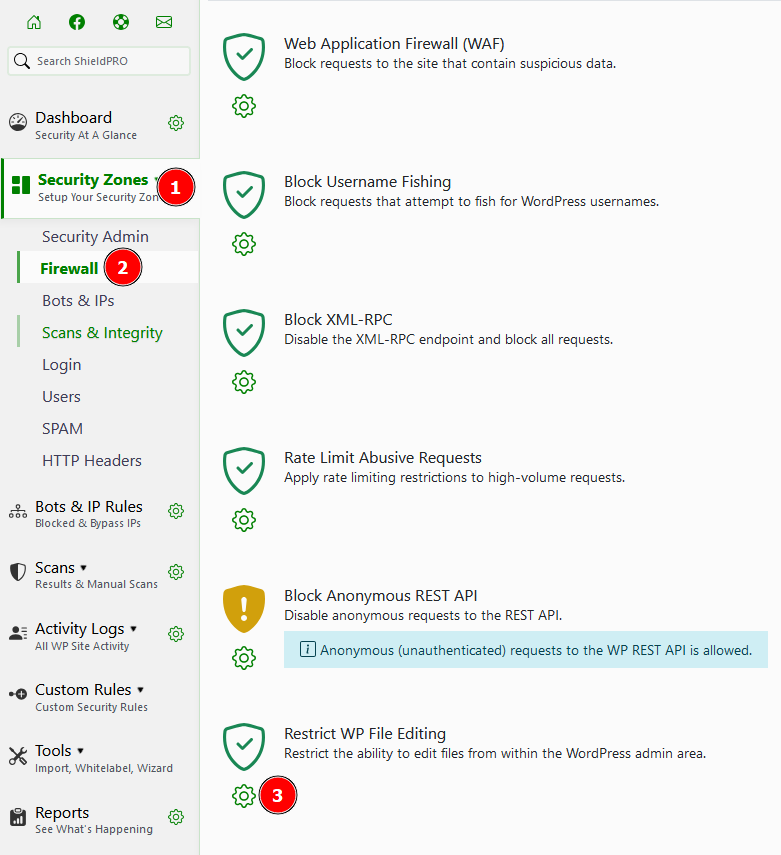
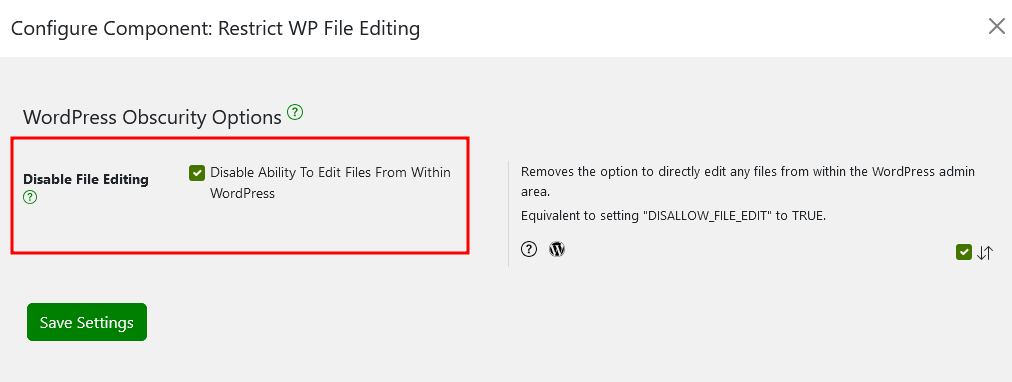
Another method is to use a security plugin like MalCare or Shield Security. These plugins often include features to disable file editing with just a few clicks:
- Install and Activate the Plugin: Go to your WordPress dashboard, navigate to Plugins > Add New, search for the plugin, install it, and activate it.
- Configure the Plugin: Find the security settings within the plugin and look for an option to disable file editing. For example, in MalCare, you would go to the security section and apply hardening features.
Additional Security Measures
- Set Proper File Permissions: Ensure that your files have permissions set to 644 and folders to 755 to prevent unauthorized access.
- Use SFTP for File Editing: Instead of editing files through the WordPress dashboard, use SFTP for safer and more controlled file modifications.
By disabling file editing and implementing these additional measures, you can significantly enhance the security of your WordPress site and protect against insider threats.