To harden WordPress core files, specifically wp-config.php and .htaccess, you should implement several key security measures:
Securing wp-config.php
-
Restrict access via .htaccess: Add the following directive to your root
.htaccessfile to deny all external access towp-config.php:<Files wp-config.php> order allow,deny deny from all </Files>or for Apache 2.4+:
<Files "wp-config.php">
  Require all denied
</Files>
This prevents web users from viewing or downloading this critical configuration file.
-
Move wp-config.php above the web root: Place the
wp-config.phpfile one directory level above the WordPress root folder. WordPress will automatically detect it there, and this keeps it out of the publicly accessible web directory. -
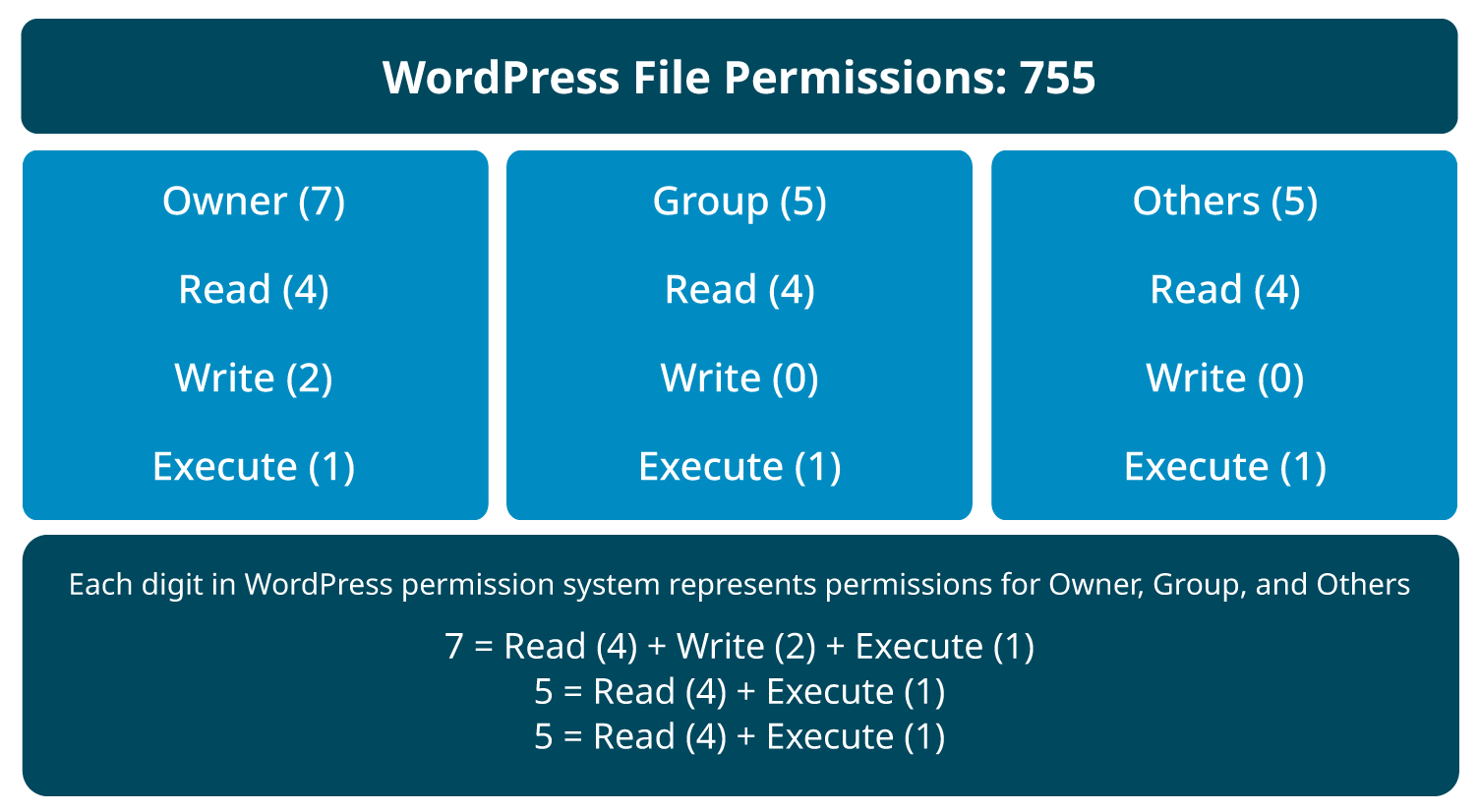
Set strict file permissions: Limit file permissions to
400or440so only the server and owner can read the file, preventing unauthorized access. -
Disable file editing: Add this line to
wp-config.phpto disable the built-in theme and plugin editor in the WordPress dashboard, reducing risk if an attacker gains admin access:define('DISALLOW_FILE_EDIT', true);This prevents code execution via the dashboard editor.
-
Enable automatic updates: Add to
wp-config.phpto keep WordPress core automatically updated with security patches:define('WP_AUTO_UPDATE_CORE', true);Always pair this with regular backups.
Securing .htaccess
-
Disable PHP execution in upload directories: Prevent execution of PHP files in directories like
/wp-content/uploads/by placing a.htaccessfile inside those directories with:<Files *.php> deny from all </Files>This stops malicious PHP scripts from running if uploaded by attackers.
-
Disable directory browsing: Add this line to your root
.htaccessto prevent users from seeing directory listings:Options -IndexesThis reduces information leakage about your site structure.
-
Avoid placing custom rules inside WordPress-managed
.htaccessblocks: When editing.htaccess, do not put custom security rules between# BEGIN WordPressand# END WordPresscomments, as WordPress may overwrite them during updates.
Additional Recommendations
-
Use SFTP or FTPES for secure file transfers when editing these files.
-
Regularly monitor file permissions and unexpected changes using security plugins or server tools.
-
Consider limiting login attempts and other broader WordPress security best practices to complement file hardening.
By combining these measures, you significantly reduce the risk of unauthorized access or execution of sensitive WordPress core files, strengthening your website’s overall security posture.